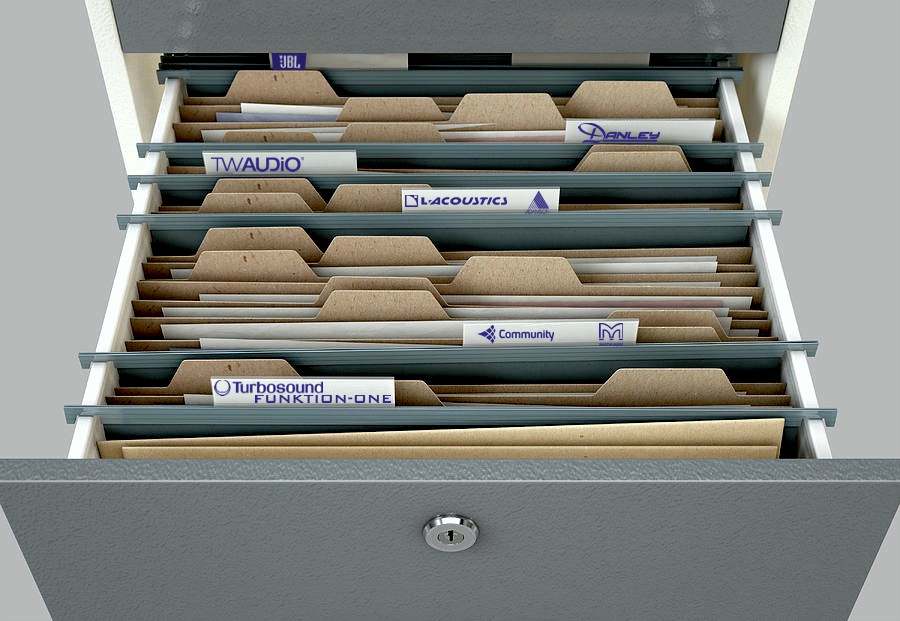
Collaborating with the best speaker manufacturers has always been central to XTA’s modus operandi. We’ve created many OEM versions of our speaker processors over the years, going all the way back to the DP200, in the guise of the MX8600 for EAW, through a host of DP226 OEM units, such as Martin Audio’s DX1, Turbosound’s LMS-D6, Funktion One’s XO1, Quested, Celestion, Tannoy….the list goes on.
Actually quite hard to find a photo of the MX8600 – they are still in use and that’s over 20 years ago!
The 4 Series have received similar endorsement over the years, appearing in many guises, including some noteable manufacturers such as DAS Audio, Proel, Qube, and continued support from other big players in the form of presets issued for direct use with our own 4 Series – L-Acoustics and JBL amongst others.
The great news is that this symbiotic relationship continues with our latest processing amplifiers, with some manufacturers choosing to rebadge the models directly and load with their own presets, with others supporting their systems with presets that can now be loaded like never before through AudioCore: Amped Edition.
The very fetching Funktion One D-Series – our DPA and DNA Series.
Any preset, any amp…
The only problem with the presets for 4 Series and earlier product was that a “preset” meant a complete set of output channels with routing, and so obviously a preset for a 448, whilst technically it should work in a 426, wasn’t compatible. Maintaining a library of all versions for all models was a time-consuming process.
To get around these problems, and make presets work everywhere, we have, in collaboration with a host of speaker manufacturers, developed a library of over 1500 presets that don’t need to know what model they are destined for, as they are loaded through AudioCore : Amped Edition and will work with all our processed amplifiers!
That includes APA (4-E6 and 4-E8), DPA40, DPA80, DPA100, as well as MC2 Delta 40, 80 and 100.
Jason Kelly, our EMEA Technical Sales manager, explains a little more on how the presets were compiled.
“The system is designed to work on an ‘enclosure’ basis – that’s to say, they don’t have to be 4 or 8 channels – they could be a single channel’s worth of data if it’s a sub, or a full range cabinet. Loading into an amp is as simple as a right click on the first channel to drop the preset in, and then search the library. There’s plenty of meta data explaining way more than just the name – you get info on how many channel’s worth are needed, notes from the manufacturer, if it’s going to bridge any channels, and so on. There may be FIR filter data included, and security to keep the most important settings sounding as they should.”
How does is work?
Loading though AudioCore allows for total freedom when it comes to how a preset is configured. You get to choose where the preset is loaded, and if you want to mix and match different systems subs and tops, it’s in your hands. All you have to do is make sure you configure the routing yourself, and you’re guaranteed that the settings chosen will be showing off your speakers to the best of their ability.
Presets can be loaded into either amp outputs or auxes (on DPA and Delta DSP amps) and if amp channels are in groups. you’ll soon be able to propogate the settings directly to other amps in the group without having to repeat the process (based on channels in absolute groups of course!).
Can I check for my system’s presets?
Yes of course! You don’t even have to download and install AudioCore : Amped Edition to do this. It’s really easy – Click here to take you to a page were you can download a searchable database, or a plain and simple pdf to check on your phone – be aware it’s 37 pages of presets though – it’s a massive library!
If you’re not included in the current library , don’t despair – there’s also a direct contact form so we can email you back and try and get you involved. The vast majority of our presets were produced in collaboration with the speaker manufacturers, so you can be assured that the settings are accurate and will make every system sound its best, especially with our amplification and processing behind it.
This post immediately wins the award for the driest title ever in the history of the the TechBlog.
It could also win the award for The Most Useful TechBlog You Ever Read.
In either case, it’s a cracker, so with that alternate click-bait title in mind, please read on…
What is a “Woohoo” and why do I need to know?
The crucial method that all DPA, Delta and APA amplifiers use to alert the network (Ethernet connection only) of their presence is the “Woohoo” message. It’s not a cocktail either.
Back in the old days…
Using a serial connection, such as on 4 or 5 Series, or even when using USB or RS485 on the amps, units are detected by a request/response system – that is, a message is transmitted from the PC etc. on each ID asking “Is anything there?” A timer is started to wait for a short period for something/anything to reply and say “Yes! I am here!” and then the ID number is incremented and the request is transmitted again.
And so this continues through all the ID numbers and at the end of the process we know how many devices have been discovered, assuming no-one has accidentally set two to the same ID. In that case, probably only one will be seen, and when it comes to actually requesting settings back from them “both”, there will be all sorts of problems as they both try to talk over each other.
This process is reliable, on the whole, but given the restraints of serial data speeds, and the need to pause between each request, it can take quite a while to check the entire ID/address space (64 devices) and will vary with baud rate (slower baud rate means longer wait). Some years ago, we added one tiny feature to original AudioCore to help with this – the “Skip Rest” button. If you only have a few devices and have sensibly set them to sequential lowest IDs, there’s no need to go on checking all the others once they’ve been found.
There are better methods that can speed this process up such as TDM (time division multiplexing) and this is how the USB and RS485 is now handled in AudioCore:Amped Edition for serial comms discovery, but that’s beyond the scope and intent of this post so imagine you’ve pressed the “Skip Rest” button and moved on…
In the modern world of computers…
You hang up…no, YOU hang up.
…everything is connected. And everything is on the Internet. And quite possibly, nothing works any better! Inevitably there’s a price to be paid for everything existing in the same data and communications space, and we quickly forget how immediate the control and response of isolated systems has almost always been sacrificed in the pursuit of the convenience of simpler connections. Remember how quick you used to be able to change TV channels, before freeview or digital TV? Ever ended up skipping ahead using your TV remote because the channels just don’t keep up? Remember back to analogue phones when you picked up the receiver and you could both hear each other immediately? Notice now how you will not be sure you’re connected or that you’ve hung up your mobile call correctly and have to double check? All of that ranting is to precursor the concept that, even though there are no baud rates to set, no COM ports to select, no adapters to use, the use of an Ethernet connection is not without its own set of potential problems!
The process of being recognised on a Ethernet/IP based system works differently. Instead of a request/response system, which, given the way devices are addressed with 32 bit addresses (TCP V4), this gives over 4 billion possible requests. Given that sort of potential range, theoretically you could be waiting somewhere in the region of 32 YEARS to check the lot.*
So, instead, when an amplifier is connected to a network, it will begin to broadcast a short message to say it’s there, every three seconds or so – its “Woohoo” message. This is sent out as a UDP type message as opposed to a TCP type message – you don’t need to know much more about that right now – UDP is basically a less complex method of getting your voice heard without getting bogged down in protocols, error checking and handshaking – you can read more here if you’re a glutton for detail.
When you start AudioCore, it uses two processes to work out what is out there, happening while the splash screen is being displayed. Depending on the connection settings (Comms menu in AudioCore) it will either be listening out for UDP “Woohoo” messages from amps, and/or the traditional (albeit updated TDM version) “are you there” request and response. As a side note – to speed up the initial scan, if you only using an Ethernet connection, select this as the connection setting so every time you start AudioCore it only searches this way.
Select “IP Connection Only” if all your amps are on Ethernet for faster start-up.
What if you switch on all your amps together, and they all start broadcasting at the same time? aren’t the “Woohoo” messages just going to clash, like they would if two units are on the same ID? Well, yes, and no…There is the potential for them to overlap, and if this happens and a collision is detected, some clever protocol and negotiating takes place within the Ethernet controllers to adjust the timings and prevent this happening repeatedly. Also, as the amps also have to request their IP addresses from the DHCP server (hopefully running somewhere on your network, probably in your router), these addresses will be doled out sequentially so this in process in itself introduces random useful delays preventing the “Woohoo”s from happening on top of each other.
Let’s just look at the end of that last sentence…”preventing the “Woohoo”s from happening on top of each other.” A pinnacle of TechBlog, right there.
Everything’s Safe and Sound
Assuming all the amplifiers on the network are set to different IDs, have Ethernet selected as their Interface type, and are physically connected to the network on their control port, then in most circumstances, discovering them in AudioCore should be seamless. However, as everyone who has ever worked with computers knows, assumption is the mother of all…let’s say screw-ups.
All amps found successfully – start from scratch, download, upload…
Hang On – No It’s Not…
But what if you only see 5 units, when you know there are 6? There are the obvious things to check first…
1) Is the amp powered up? I know that sounds very patronising, but remember, in the case of APA amps – the screen and meters will OFF when the amp is in standby so there’s not much to show you that power is applied – is the power button lit OK? All amps can be detected whilst they’re in standby of course…
2) Is the Ethernet connection OK? Again – obvious stuff, but we all know those cables have fragile locking tabs, and they can fall out a lot easier than they really should if the tab is broken or missing. For APA the network LED below the LCD will be illuminated if all is well. Check cables, and that you’re in the correct socket – if you’ve Dante fitted, there are three to feel for if you’re doing this blind, and two of these are for network audio only!
3) Have you selected the correct interface type? APA is a no-brainer – it’s Ethernet or nothing. Delta and DPA though, you’re a lot more choice. They need to have their External Interface Mode set to either “Ethernet Only” OR “Ethernet or USB”. In the case of “Ethernet or USB”, make sure you’ve not got a USB cable plugged into the unit at the same time [or at least the other end of it’s not connected to a computer] as USB takes precedence over Ethernet so you’ll only ever see this amp [actually, you could see the rest if they’re on an RS485 relay but we are assuming they’re not or you’d not be having this problem!]
Something Else Is Wrong!
Things are getting serious now. If you have a unit missing, or you see this in AudioCore:
System Change Detected. Rescan System. Erm…
Check your Ethernet settings – start if at all possible, and unless you’ve a good reason not to – with RS485 Relay OFF, Remote ID as low possible – or sequential from 1 if a lot of amps on the system, and make sure you’ve not selected an ID with “s” after the number – these are “shadow” IDs are will not respond in this configuration. Set IP Mode to DHCP/Auto and IP Speed to Auto.
In a big system or if you’ve not got all the amps nearby, this can be a bit of a time consuming process, so here’s where the IP scanner comes into its own. Download the IP scanner here. It’s a zipped up exe file so just unzip it and run it. There’s no install – it’s very quick.
You’ll probably be intercepted the first time you run it and asked about security for access to networks – always grant permission – as if you don’t it won’t work and the process of getting this one-time decision reversed is a bit tedious.
All that Woohoo-ing captured…
Make sure AudioCore is OFFLINE, or CLOSED. Once amplifiers have been detected in AudioCore, they stop broadcasting their “Woohoo” messages. The left hand pane shows all the network adaptors found on the computer. This will include Wifi adaptors and Bluetooth in some cases. Bluetooth is obviously not important, but in case you’ve got Wifi and a wired network running at the same time, any amps on Wifi should show up as well.
The top pane on the left hand side updates in real time as “Woohoo” messages are received, and the coloured blocks denote what network they have been received on. Unless you are doing something particularly clever with amplifiers on different physical networks, you should see everything in one colour.
The bottom pane on the left hand side will populate with the list of all units that have been discovered – the total is shown just above this – quicker than having to count the list if it’s long.
Spot The Mistake…
If there are units missing in AudioCore and they show up in the IP Scanner, check the settings carefully – chances are they are accidentally set to Static IP address instead of “DHCP/Auto” – check out the Delta 80 on ID1 above and look at its IP address, compared to all the others.
Make sure all IP addresses fall within the same address range – so not like this…
Notice how they all start 192:168:16:??? Notice how the Delta 80’s is different – 169:254:5:1? An address starting 169:254…is normally an auto generated address that the unit comes up with if it can’t connect to an DHCP server, or if it’s set to static IP. Set IP Mode to “DHCP/Auto” via the front panel of the amp in question and restart the IP scan.
What Else Could Go Wrong?
As with older units which worked over serial comms, there’s still an ID number to contend with and setting this incorrectly can cause problems that can seem obscure within AudioCore. Make sure all the ID numbers retrieved using the scanner are different – any set the same will cause AudioCore to behave unpredictably – the amps will be detected, but the retrieval of their settings will not work.
Choose Your Network Adapter in AudioCore Too…
Press the “Select Adaptor” button when you go online to change to the right one (and minimise scanning Wifi or other wired networks unnecessarily).
The caption on that screenshot basically tells you what to do. Much as the IP Scanner shows you all the possible networks, this selector window allows the choice to be made of which networks are to be scanned. You’ll notice that the IP address of the adapter will match the IP address range of the units found using the scanner (in this case the 192:168:16:NNN) so it’s easy to work out which one to use.
And Finally – System Monitor
So many people don’t realise how useful this is!
Make System Monitor your friend! This often ignored tool in AudioCore shows at a glance that all amps are connected and happy – a big red cross will replace the metering of any amps that are not playing ball. Clicking on any amp’s meters will open it for editing, straight to Gains. Drop back to the System Monitor with the button that will appear on the editing window.
If you’ve still got comms problems, maybe now is the time to give us a call – preferably on a landline, although we have recently switched to a VOIP phone system. Sometimes it works, sometimes it doesn’t!
*approx 4,000,000,000 addresses, approx 4 can be checked/second at 115k serial speed, giving 1,000,000,000/second which is just shy of 32 years, give or take…
Well, if you come to ISE you can find out, can’t you?!
The poor old TechBlog as been neglected in recent times due to the sheer volume of hyper-activity that’s been going on here at XTA, culminating in the release of the killer combo of tech that you’ve been waiting for.
Our world-leading processing reworked for modern connected systems and coupled with the latest power amplifier technology as debuted at last year’s ISE…
as MC2 Audio’s Delta Series, with both DSP enabled models and clever non-DSP models that still have Dante networks as an option with 96k converters.
XTA’s amplifiers that are based on the same leading tech have been designed to be more complimentary to APA, and work in a way that will be familiar to users of our processors. The DPA amplifiers are the processed models with beautiful OLED displays for navigation and showing comprehensive and very helpful input metering in addition to the LED bars that switch modes depending on what you want to monitor or edit – the inputs, the power amp outputs or the independent aux line outputs.
The DPA amplifiers play nicely with APA amplifiers who also are best friends with MC2 Audio’s Delta Series and ALL of them are happy living under AudioCore in the Amped Edition which uses the latest IP connection (or RS485 or USB or even a combo of these!) to realise faster connections and the real time notification of any connection loss, so you can be doubly sure what you set is what you get.
Of course that’s not all that the Amped Edition does that is new…there’s all the new grouping architecture to control and group any combo of outputs or inputs across any amps – lots more on this stuff in the links for Amped Edition info!
The IP connection means seamless migration to a wireless system of control as well – just plug your amps into a router and it’s job done.
DPA and MC2 Audio’s Delta also offer iPad control when connected like this via the free DeltaDirect app – it even recognises the grouping architecture so you can just instantly offline your AudioCore connection and hit OnLine in the app and it’ll find all the amps in seconds!
So what about the non-DSP amps? Well, DNA is the XTA offering, based on the same technology but minus the processing. And this leads neatly to the original subject of this post – the 120 Amps. Eventually.
Are these the most powerful two channel amplifiers with networked audio currently available? They might just be…
I think we can safely say Richard wasn’t prepared for the level of dirt, sand and wind that was to meet him in the desert. If you saw the picture on Facebook posted yesterday in preparation for this final instalment, you’ll have an idea of the all-pervasive nature of the dust and how it can spell the end of humans and machines alike.
Amazingly, it still worked. We will see if that’s happening three weeks from now but it survived the trip. So did the laptop.
As we’ve covered the journey to get to the B.M. in quite exhaustive detail let’s just jump ahead to a few photos of the set-up and how things all went together. After the three hour drive along the desert edge, there was then the 6 hour queue to endure before getting on-site – this stretched for several miles and was four vehicles wide…
Following Richard and Oz was the gear truck, with the racks of APA ready for action. Here’s the plan view of the Ooligan Alley site – with the cockpit right in the centre below the road. The camp site is at the top of the plan formed by the rectangle of trucks with all the yurts accommodating up to 100 people.
Olligan Alley Site Plan.
And so the long process of assembling the yurts, moving speakers into place, wiring up the system and testing began. The new “control tower” – in reality a lighting tower – was built at the back of the site. It’s the hexagonal structure at the bottom of the plan.
Subs unloaded, cockpit and parts of control tower in the background…Craning the control tower together.View from the cockpit towards the completed control tower. And beyond into the desert!
The main system was all powered by APA and compared to last year (which you may have seen photos of here) the number of top cabinets was reduced due to the superior level and coverage available with the new Funktion One Evo7 boxes. Where there were six Res4s a side in 2014, this was now handled by four Evo7s a side in 2015.
The sub line-up was the same – six F221 cabinets a side (so totalling 24 x 21″ drivers).
This system was powered by nine APA, which were housed in one of the 20 foot containers (shown on the plan flanking the cockpit). There was one spare APA in case of any emergency, and some MC2 E Series on DJ monitor duties (Res2s).
Richard commented about the air conditioner that was in the container: “I thought it was a cool (sic) idea that it was in there, but honestly, I don’t think it made any difference! The container was painted quite a light colour which helped reflect some of the heat of the sun during the day, but at night, when the amps were working, it was pretty toasty in there…”
He continued – “As it turned out, we needn’t have worried – I was able to keep an eye on the temperatures and nothing was getting stressed, even at the height of each night’s events – we were operating at about 60% of maximum top line.”
On the dusty screen – the APA channel temperatures and mains supply behaviour in real time…
Oz Jeffries, the founder and M.D. of Audiofeed, had only good things to say about this new, leaner set-up:
“We took fewer cabinets and fewer amplifiers than ever before and yet had a more powerful and even better sounding system! What we didn’t take was a chance with APA – the results and reports so far from all users have been that it sounds amazing and it didn’t let the side down in the desert.”
Early morning with the DJ cockpit in place, flanked by Evo7 and F221s.
And so the B.M.B. reaches its conclusion for 2015 – APA helped to make it special for all who danced the night away in the Nevada desert, and made it through what many would see as the ultimate endurance test. Richard made it back without even catching a tan (as you’ll see from the laptop photo up above!). We’ll post up some pictures of the amps when they return and see how brown their air filters have gone!
…? That’s all we can say right now about the progress and current state of Richard and the APAs. With no internet access and very flaky mobile coverage, I received a text yesterday that could have been sent any time in the past two days that merely said “Leaving shortly, all OK.”
Whilst the festival carries on for another three days culminating in the burning of the man and many of the sculptures that had been specially built for the event, Richard will be arriving back in the UK some time today, with more information, and sand rashes where you shouldn’t get sand rashes.
In the meantime, certain publications have been granted access to report on the festival at large, so peruse our “curated” selection of the coverage from a US and UK perspective:
USA Today had this to say: https://www.usatoday.com/story/news/nation/2015/09/02/dust-storms-burning-man/71616912/
whilst the UK, we have the art perspective the Guardian newspaper:
https://www.theguardian.com/culture/2015/sep/01/burning-man-art-installations-festival
and some great pictures here courtesy of the Daily Mail newspaper:
https://www.dailymail.co.uk/news/article-3220347/Home-sweet-home-Stunning-images-Burning-Man-campsite-filled-65-000-festival-goers-size-downtown-San-Francisco.html
Early next week we will have our own first hand news to pass on so please be patient whilst Richard washes the sand out of, well, everywhere and applies the after-sun…
The good news is that all amplifiers (the ones coming across America and the ones arriving in the huge shipment of equipment from Audofeed from the UK) have touched down in Reno awaiting departure to the festival site. Richard will fly into Reno tomorrow from LA – a relatively short 90 minutes before air conditioning and sand-free food becomes a distant memory. The final leg of the journey to the site is by truck – along State Route 34 – which is a surfaced road, but ending, still five miles from the camp, at Gate road…
Streetview stops here – the junction into the unknown…
By the way – “B.R.C.” refers to the site constructed for the festival – again copyrighted – so can’t use the phrase. The area is known as “Black Rock” and the site is laid out like a CITY on a grid system, so work it out!
Augmenting the aircraft in Ooligan Alley this year is the construction of a control tower to go with the cockpit DJ booth – we should have some more details of that next week, but as there is no mobile coverage unless you get the shuttle back to the nearest town (Gerlach), running every two hours during the day, and we’re not expecting many check-ins…
Richard has sent this link to the Large Hadron Kaleidoscope which is making its debut as part of Olligan Alley – the Kickstarter funded lighting project will offer a chill-out space like no other with three and a half thousand RGB LEDs forming an every changing sky of pattern and colour – check out their promo video:
We’ll be back next week when more information about how set-up has gone and how APA is coping in the extreme conditions but, in the meantime, let’s hope everything has survived the journey and our intrepid travellers successfully make their Reno rendezvous!
So as the set-up approaches, you might have noticed yesterday’s post mentioned about Audiofeed being involved, not for the first time in attending B.M. and sending a mass of gear over to power the Olligan Alley sound system. This system will be the new Evo cabs from Funktion One with subs and all powered by APA. You may have noticed the MC2 amps in one of yesterday’s photos. Audiofeed are big fans of MC2, as are Funktion One (as you’ll have gathered by their electronics line-up!) and in addition to APA, there are racks of MC2 amps that have been flown across too. These will be powering various other systems – some of which we get the feeling will be decided upon during set-up so watch this space for details of how everything ends up connected!
As a taster of what’s to come, this is how it all looked down Olligan Alley last year…
Just received this from Oz at Audiofeed too – cramming some last minute supplies into a rack before it jetted off. Remember it’s all about self-sufficiency when you’re in the desert for a week, and with the only supplies guaranteed to be available being coffee and ice, you still need to eat! Dancing boots are optional of course.
As for the travelling progress, well, Richard has left Frankfurt and should be well on his way to the first US stop in Los Angeles where he’ll be visiting a couple of people to fill them in on APA and no doubt drop it out in conversation that he’s on his way to B.M.!
The APAs coming from Group One should be in Reno late today and the UK contingent will, fingers crossed, arrive tomorrow – we will keep you posted…
We hope you all know what this might stand for. Having been in touch with the press office at the aforementioned B.M. offices to enquire about using the name or logo of their arts and music festival in the Nevada desert about this time every year, I was swiftly turned down. So, people of the world, you’ll have to just guess now as to what those initials stand for. One clue – the last word is “BLOG”. The other two rhyme with “Turning Flan”.
So the journey begins…probably the closest equivalent to Glastonbury here in the UK, but in the desert, B.M. is festival going for hard-core art lovers, dance music lovers, and probably lovers. Taking place in the midst of the Nevada desert, the entire site is built from the ground up each year, to a city grid plan layout all encircling the “Man” – a giant sculpture that ceremoniously gets burned at the end of the event, along with a significant number of the art exhibits that have been designed and built especially for the festival.
Whilst taking part is seen as fundamental to the entire experience, self-sufficiency during attendance is also high on the agenda. A philosophy of no commercial influence or commodification, leading to all who attend being responsible for bringing their own supplies (down to drinking water), also means that there is an element of endurance that is not present in other festivals. That said, anyone who has been to Glastonbury on a wet year would probably say they had endured plenty!
Individuals and groups visit from all over the world, setting up camps and enclaves within the temporary “metropolis”, some with a purpose of friends coming together to appreciate art and music and dance, others with performance and participation in mind. From the UK, AudioFeed, a Bournemouth based Audio and Lighting Hire company, have been attending B.M. for several years now, supplying (at their own expense – all events and performers only pay for their entry ticket like everyone else) a significant dance music system for the “Ooligan Alley” Theme Camp.
We’ll explore more of this when we have more photos of what is involved in the camp this year, but for now, let’s finish with the introduction and focus on what’s going on with XTA, APA and the intrepid Richard Fleming, as he crosses the planet to report back from B.M. for us.
AudioFeed are flying a huge amount of equipment out to the festival this year including six of the ten APA amplifiers that will form the heart of their mammoth dance system. The other four amps are being flown across the US from our distributor in New York, Group One.
The amps from the UK left at the start of the week and made it to AudioFeed on Tuesday.
Half a dozen APA fresh from XTA…
They were then racked and packed with the Funktion One Evo System and subs, other audio gear and made ready for transport to London where they were prepared for their long haul flight to the Nevada desert.
Racked and ready to roll. Rack and roll, then.
Now you see them… …now you don’t. Strapped and ready to fly.
Meanwhile, back in Stourport, Richard has packed some sandwiches and a juice box, and is ready to leave the UK on the first leg of his journey. He’s made it to London and is now at the airport waiting to board a flight to Frankfurt where he’ll change to the long haul flight which will take him the lion’s share of the way there.
Will he still be smiling when he realises he forgot to pack the factor 50?
As for the other four APA amps – well they’re already on their way across America to meet up in Reno, so tomorrow we’ll find out what’s arrived and what the plans are for this mammoth system, in surely one of the most inhospitable locations for a festival in the world….stay tuned for more!
Apparently there is some sort of football tournament on, but to be honest, it’s so far passed us by here at XTA, such has been the feverish activity with the launch of the APA Series at InfoComm this week. From the feedback we have received so far, it feels like all our efforts are being rewarded with great positive interest from you, not just in person at the show, but all over the wwworld.
I needn’t turn this post into a sales pitch for the new amplifiers – you can read all about them elsewhere on the website, but I will take this opportunity to dispel a couple of myths regarding the background of the amplifier and its design – things that are being speculated upon on a variety of forums and social media, only 24 hours after the launch!
As many of you may well know – we started research into Class D amplifier design way back in 2003, where we undertook a joint project with our good friends at Funktion One. They wanted amplifier modules for their subs and famous Resolution series of speakers. As we already supplied them with their OEM processing (in the form of the X01, and currently with the XO2 and XO4A) and they were willing to collaborate with us on the this first foray into digital amplifiers, we were both destined to hopefully learn a lot and end up with some great products at the end of the project.
And that’s exactly what happened – over the course of the next three or so years, we designed and built two immensely powerful digital amplifiers with a full suite of XTA DSP inside (at 96k – still a big thing way back then!), along with full remote control capabilities, in addition to ground-breaking protection systems that have since been introduced in many other manufacturers’ designs such as error logging, and supply monitoring and low power standby modes. The A4 and A6 modules delivered 2.5kW and 5kW peak power respectively, in a footprint the size of a phone book (A6 – the big one). Cramming this much power into such a small area and making sure it is robust enough to be tumbled about in the back of a sub cabinet taught us a lot about the right (and wrong) things to do. Clever tweaks to the software as the designs developed added hidden features such as adjustment of limiter time constants in reaction to over-modulation of the output stages to keep the amp up and running as long as possible, and even adjusting fan speeds not only due to temperature conditions, but with peak signal levels to help pre-empt thermal build-up – all these things would prove useful to have discovered when we came to starting with a clean sheet and the design of the APA.
The merger with MC2 Audio after this added even more amplifier know-how into our growing R&D pool of resources. They had the background of lightweight switching amplifiers in the form of the hugely successful E Series, but one of our first collaborative projects was the introduction of some intelligence into the more workhorse T Series, to make them more appealing as installation amplifiers. Thus the Ti Series were born, incorporating traditional great sounding Class AB amplifier technology with more installation friendly features such as remote control and monitoring, speaker load alarms, mains power-up sequencing, simple level and standby remote adjustment for incorporation into existing building management systems.
Going hand in hand with the introduction of the Ti Series amplifiers, were the first forays into audio networking technology – the Ti Breakout boxes. These boxes could pick off 8 or 16 channels of networked audio (Dante or CobraNet) and feed a rack of Ti amplifiers – the whole shebang being remotely connected back to a PC for control, configuration and monitoring (via iCore – the software that was also developed). They also had another card up their sleeve, which was their ability to learn about all the other connected amps and breakouts on the network (even over Ethernet hops). This enabled one breakout box to be switched to a “Master” mode whereupon, without intervention of a PC or any remote device, it would monitor and report back on all amps and breakouts, giving feedback if any amps’ loads went out of spec, got too hot, or disappeared off the network.
As can be seen from all this research and a steady progression of product development, the APA Series have been born from a vast amount of hands on acquired first-hand knowledge.
Let’s make one thing clear too – the power supply, the power stages, and even the DSP platform used in the APA Series are not culled from any existing MC2 or XTA products. This is not a cut and paste design – sure we have learnt lots along the way and there will be elements of the amplifiers that have built on what we already know, but that’s the “D” in “R&D”!
For example – the DSP platform shares some algorithms with our flagship processor, the DP548, but (remembering that the DP548 is a 4 input and 8 output processor) doubles the power available (and we are only processing 4 channels in the amplifiers). The power supply is power factor corrected and designed to operate with no need for range switching – truly universal worldwide use. The output power sections are over-engineered with devices capable of current delivery far in excess of what is asked of them, to provide ultimate reliability and low stress (both to them and you!).
It’s an XTA design through and through – even extending to the careful consideration of the display and user interface. Whilst the unit is fitted with a full colour LCD screen – you could be fooled into thinking it’s just a monochrome display. This is very deliberate so as to use colour effectively – you’ll only see red on the screen when there’s something you need to know about urgently (an alarm condition). This way, a glance at the amps doesn’t require you to study the screen – if there’s no red anywhere, all is well! Similarly with the metering – all looks pretty normal and you might never know the LED bars weren’t anything other than standard green yellow and red. However – start driving the amps above the limiter thresholds and the meters will swap to red and start reading “downwards” to show gain reduction. Again – a quick glance is all that’s required to confirm everything as it should be.
Now the launch is underway, we might be able to take an evening off and catch up on some of the football – at this point England are apparently still in the running…however, let’s just say we don’t think we will be glued to the TV for long 😉
With the release of the DP548 imminent, the final testing of its integration into AudioCore is nearly complete, and the ante has been well and truly upped with the implementation of the Dynamic EQ.
Any of you who came to see us at Plasa in September will have probably had a sneak preview of an early beta of the DEQ running on a tablet, but things have come a long way since then. The version shown at Plasa had three bars showing gain reduction (or expansion) superimposed over the centre frequencies of the inputs DEQ frequency response.
Whilst it was cool to see these react to their individual bands’ settings as far as envelope and threshold etc. go, everything still had to be ‘dialled in’ by hand at this stage (up/down spin buttons by parameters – not really quite as interactive as we might like these days…)
It was never intended that things would stay like that – anyone who has played with a SiDD will remember the ability to drag the threshold point on a transfer function window with a bouncing ball showing the closeness of the input signal to the threshold, and how intuitive that made setting the threshold. This has been incorporated into the DEQ (and compressor) windows for the DP548, but the DEQ has gone well beyond that.
The individual bands of EQ are now draggable just as they are in any main EQ editing scenario, with the bandwidth (or ‘Q’ depending on which you prefer to think in) adjustable with your mouse scroll wheel. The gain adjustment meter mode is still in there, with the transfer function drag point allowing the ideal threshold to be easily worked out.
More conventional display with gain reduction (or expansion) meters centred around each band of DEQ.
A right click on the curve display allows you to change to the real time individual curves which move in real time showing each band’s response with the shadow showing the maximum permissible response change that has been set.
Each separate band's EQ contribution is shown superimposed on the shadow curve which represents the maximum allowable effect level.
These curves moving about in real time is cool enough to watch and soon the operation of the DEQ becomes even more intuitive, especially as far as adjusting the attack and release times go – suddenly you can ‘see’ how the band is cutting or boosting in response to the audio, and how fast you want it to react.
However – the masterstroke is the combined response mode. Selected again from a right click on the display, this works out the interaction of each band with the others and displays an overall response curve, again in real time! This truly is brilliant to watch and I can honestly say I’ve not seen anything like it elsewhere. If you have – let me know and I will call you a liar, or a very efficient plagiarist 😉
You won't have seen anything like this before! DEQ bands interaction is shown in real time including the effect of the attack and release times of each band to show how the EQ is responding to the incoming audio...
The static images don’t really give you a good feel how this is working so below is a quick video showing the different modes – the bargraphs, the individual curves and the combined response mode. Notice how the sections of the curve move at different speed due to the different attack and release times set on each band, especially the yellow midrange band. If you watch carefully when the track stops you can see that this band must be set to ‘boost below’ with a long release time – as the bouncing ball drops below the threshold, the EQ band slowly boosts up to it max level.
I would post some screen shots of the compressors and the matrix, but I think that’s enough of a lesson for one day! More on them on the website when we go live with the DP548 product info 🙂
UPDATE: Rather than this end up in a different post, I decided to add the hints and tricks about the compressor and matrix here so it’s all in one place.
Threshold is draggable in real time on transfer function window, and bouncing ball shows input level relative to this.
When editing the compressor, each output can be cycled through 1-8 then back to 1 by pressing F8 on the keyboard. This will also cycle outputs on the matrix editing screen, and inputs on DEQ editing.
The threshold can be dragged in real time on the transfer function graph by holding the mouse over the “knee” and left (normal!) clicking and dragging. A right click on this graph also allows you to enable/disable peak hold for the ball. (Same on DEQ).
The ratio can also be adjusted by clicking and holding the mouse as if you are about to adjust the threshold, and turning the scroll wheel (if your mouse has one). Page Up/Dn also achieves this.
The knee can be adjusted by by clicking and holding the mouse as if you are about to adjust the threshold, and the pressing the left or right arrow keys.
To get the unit into Matrix mixing mode, it’s accessible from the dropdown list you’d normally use to choose a crossover template (2 x 4 way, free assign etc.):
Select matrix mixing in the list alongside "Free Assign" mode and the other routing templates. Accessed from "Device > Modify".
Once in Matrix mixing mode, you’ll see that the routing shown in the device window is replaced by a large rectangle mysteriously labelled “Matrix”. What could that possibly do…? 😉
Well, as with all the other processing blocks in the device window, clicking on the “Matrix” block will bring it up for editing.
Sliders set the "send" levels from each input to your chosen output.
As with the compressor editing, and the DEQ editing, F8 will cycle round all the outputs allowing you to set up the mix send levels quicker and compare output settings.